Seller Workspace Overview
Seller Workspace Overview
Section titled “Seller Workspace Overview”After signing in as a seller, the platform exposes seller-only tools.
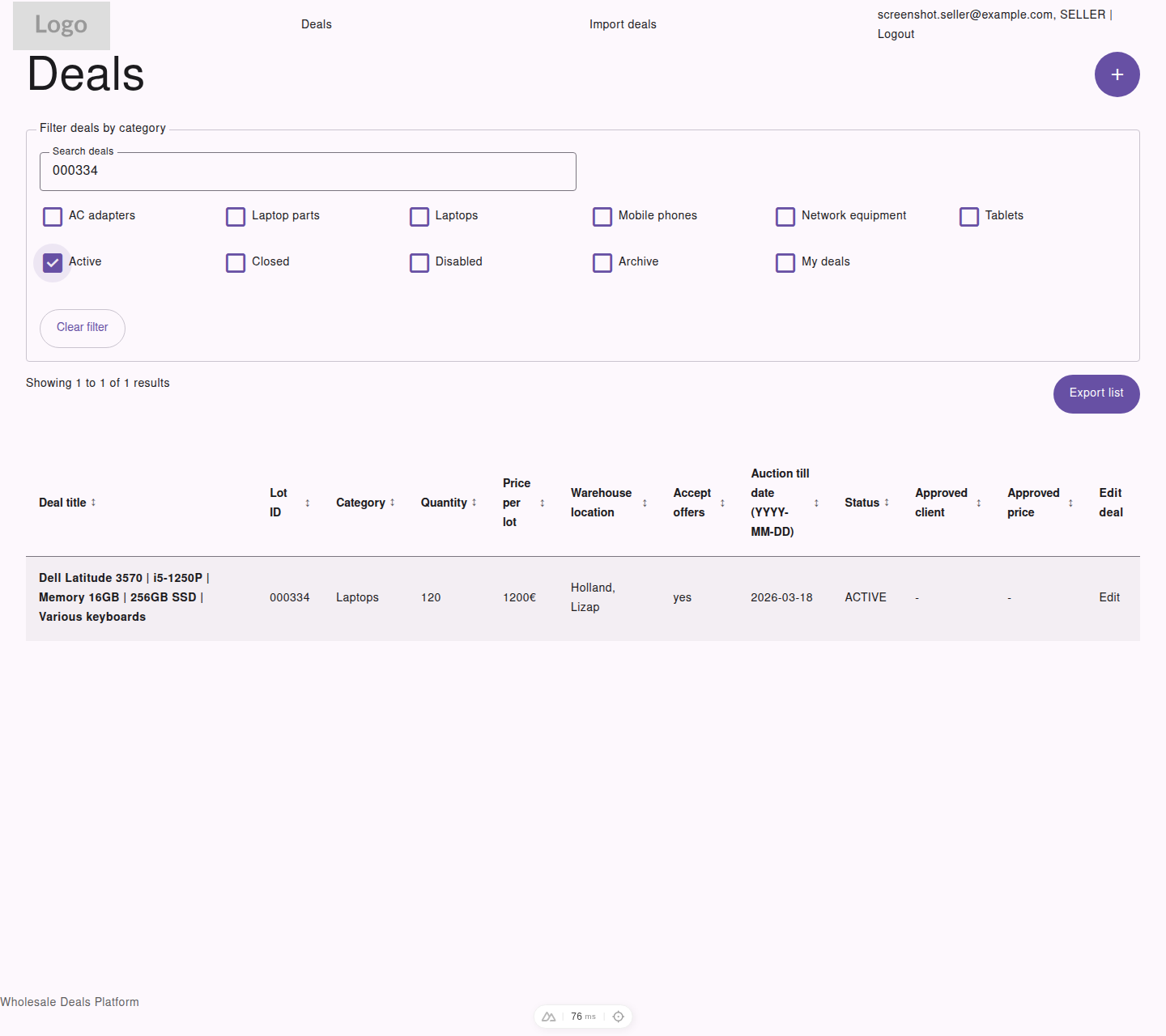
Seller view of the main deals workspace, including lifecycle status, approved customer data, and export controls.
Seller Navigation
Section titled “Seller Navigation”Sellers can access:
DealsImport dealsLogout
From the deals list, sellers can also open:
Add new dealEditfor an existing dealExport list
Extra Seller Data in the Deals Table
Section titled “Extra Seller Data in the Deals Table”Compared with visitors and customers, sellers also see:
- deal
Status Approved clientApproved price- an
Editaction for each deal
Seller Filters
Section titled “Seller Filters”Sellers can filter deals by:
- category
ActiveClosedDisabledArchiveMy deals
This makes it easier to manage deals through their full lifecycle.