Export and Filter Deals
Export and Filter Deals
Section titled “Export and Filter Deals”The seller deal list is the main workspace for day-to-day management.
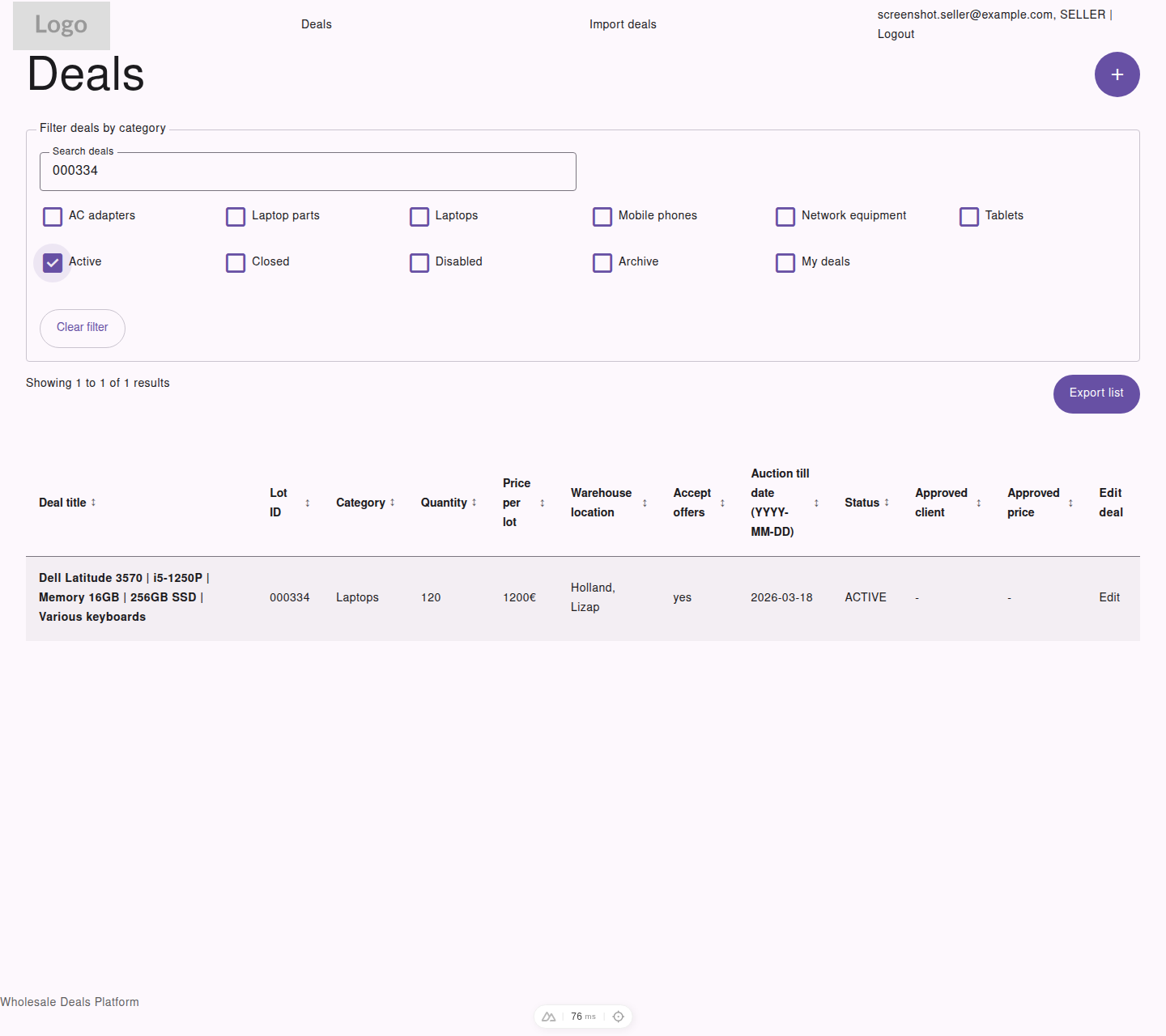
Filtering and exporting happen from the same seller list view, so you can narrow results first and then export what you are reviewing.
Available Filters
Section titled “Available Filters”Sellers can combine:
- category filters
- status filters
- the
My dealsfilter - search
- sorting by table columns
Common Seller Views
Section titled “Common Seller Views”Examples of useful list views:
- active deals that still need monitoring
- closed deals with approved customer and price data
- disabled deals that were cancelled
- your own deals only
Exporting the List
Section titled “Exporting the List”Use Export list to download the current seller list as CSV.
This is useful when you need to:
- review deals outside the platform
- share a filtered list with internal teams
- keep a snapshot of the current visible results