Edit Locks, Update, and Cancel Deals
Edit Locks, Update, and Cancel Deals
Section titled “Edit Locks, Update, and Cancel Deals”When a seller opens an existing deal for editing, the page tries to acquire an edit lock first.
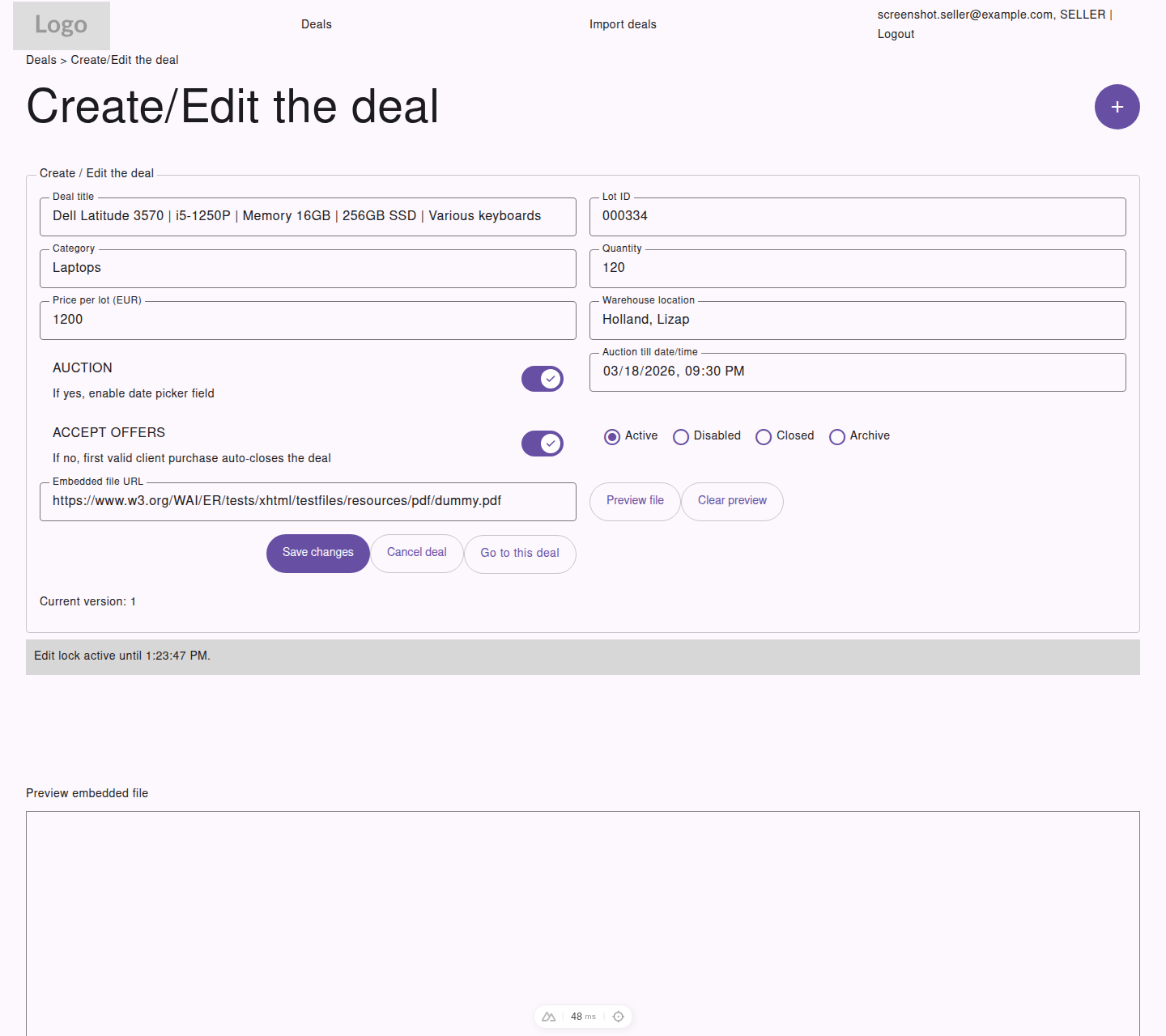
When the edit lock is active, the seller can safely update the deal, cancel an active listing, or open the public deal view.
Why Edit Locks Exist
Section titled “Why Edit Locks Exist”Edit locks help prevent two sellers from editing the same deal at the same time.
While the lock is active:
- the page shows a lock status message
- save actions remain available
- the lock refreshes automatically while you stay on the page
If the lock is not available:
- editing is disabled
- you should refresh later and try again
Updating a Deal
Section titled “Updating a Deal”To update a deal:
- Open
Editfrom the deals list - Wait for the edit lock to become active
- Change the required fields
- Select
Save changes
Current Version
Section titled “Current Version”The edit form also shows the current version number for the deal. This helps the system detect if another update happened before you saved.
Cancel Deal
Section titled “Cancel Deal”Sellers can use Cancel deal only when the deal is currently Active.
When cancelled:
- the deal moves to
Disabled - it is no longer available for normal customer activity
Open the Public Detail View
Section titled “Open the Public Detail View”Use Go to this deal if you want to review the public-facing deal page while managing the record.