Submit Offers and Buy Directly
Submit Offers and Buy Directly
Section titled “Submit Offers and Buy Directly”Customers take action from the deal detail page.
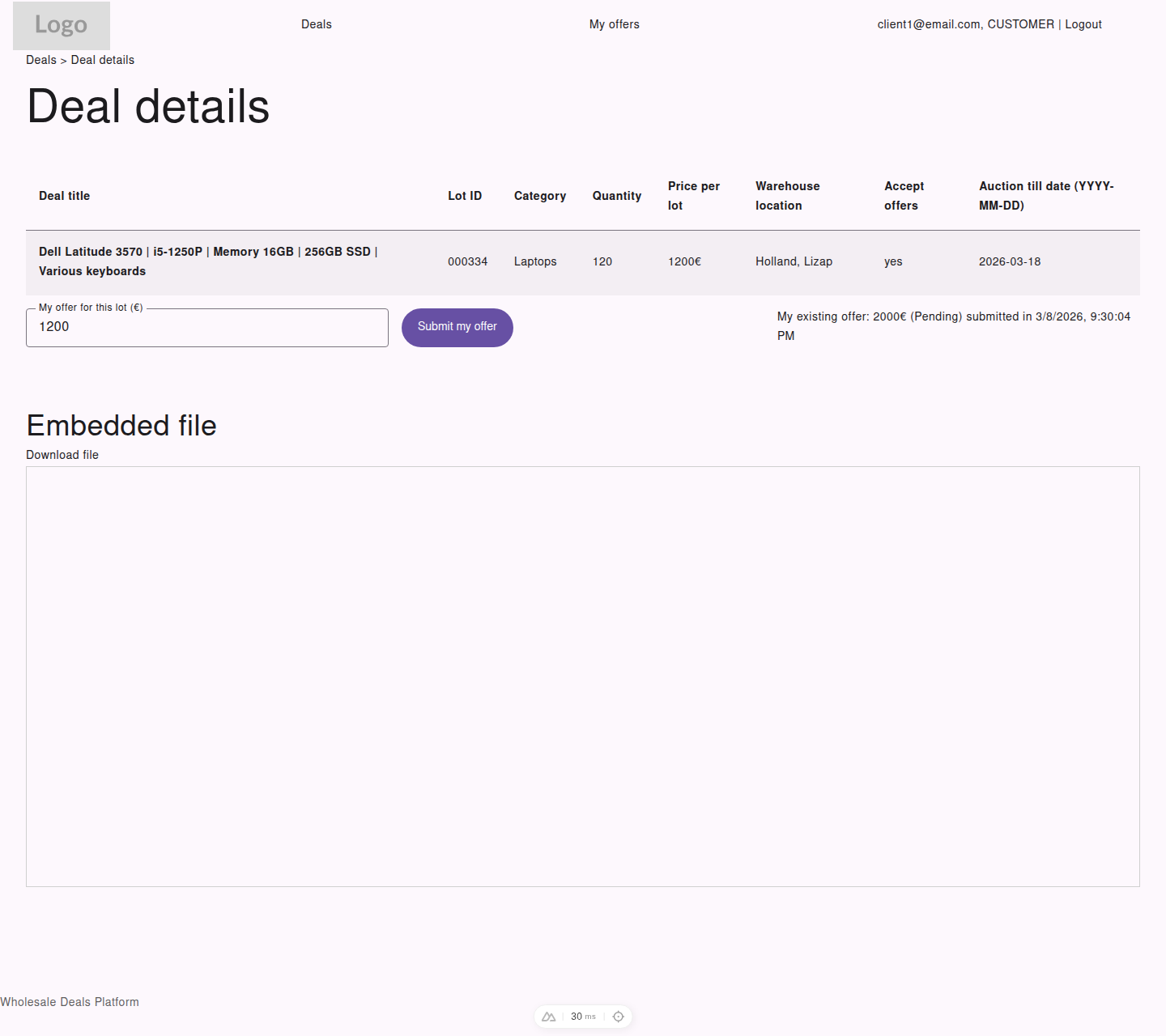
On offer-based deals, customers can enter a price, submit it, and review their current offer status on the same page.
The action depends on the Accept offers setting for that deal.
When the Deal Accepts Offers
Section titled “When the Deal Accepts Offers”If Accept offers is yes:
- Open the deal detail page
- Enter your amount in
My offer for this lot (€) - Select
Submit my offer
What Happens After Submitting an Offer
Section titled “What Happens After Submitting an Offer”- your offer is saved under your account
- if you already had an offer on that deal, your latest submission replaces the earlier one
- your current offer and status are shown on the deal page
- if the auction is still open, the offer usually remains pending until the deal is finalized
When the Deal Is a Direct Buy
Section titled “When the Deal Is a Direct Buy”If Accept offers is no:
- Open the deal detail page
- Select
Buy at the offered price
In this flow:
- you do not enter a custom amount
- the purchase uses the listed deal price
- the first valid purchase closes the deal automatically
When You Cannot Submit
Section titled “When You Cannot Submit”The action button may be unavailable when:
- you are not signed in as a customer
- the deal is no longer active
- the auction deadline has passed
- the deal has already been closed by another customer action
Existing Offer Information
Section titled “Existing Offer Information”If you already submitted an offer, the deal page shows:
- your existing offer amount
- the current offer status
- the time of the latest update