Favorites and Category Subscriptions
Favorites and Category Subscriptions
Section titled “Favorites and Category Subscriptions”Customers can keep track of interesting deals in two ways.
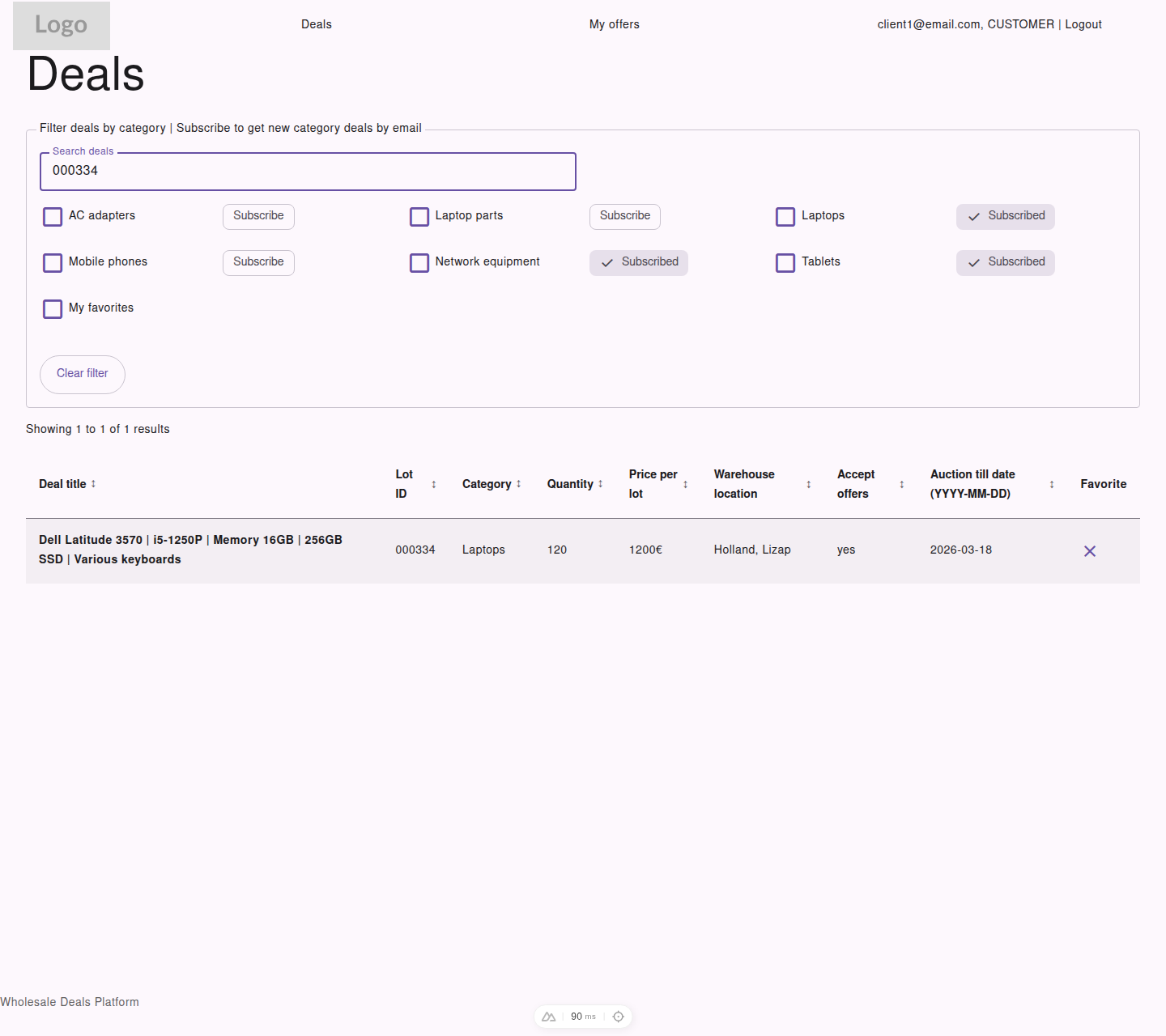
The deals list lets customers save favorites and subscribe to categories from the same filter area.
Favorites
Section titled “Favorites”Use favorites when you want to mark specific deals for quick review.
To manage favorites:
- Open the main
Dealslist - Use the
Favoritecheckbox in a deal row - Turn on
My favoritesto show only your saved deals
Favorites help you create a short working list without changing the public deal data.
Category Subscriptions
Section titled “Category Subscriptions”Use subscriptions when you want email notifications about new deals in a category.
To subscribe:
- Open the category filter area on the
Dealspage - Find the category you care about
- Select
Subscribe
To stop receiving notifications:
- Return to the same category
- Select
Subscribedagain to remove the subscription
Important Difference
Section titled “Important Difference”- favorites track individual deals
- subscriptions track categories and send email when new deals appear in those categories