Browse, Filter, and Search Deals
Browse, Filter, and Search Deals
Section titled “Browse, Filter, and Search Deals”Customers use the same main Deals page as visitors, with extra customer-only actions.
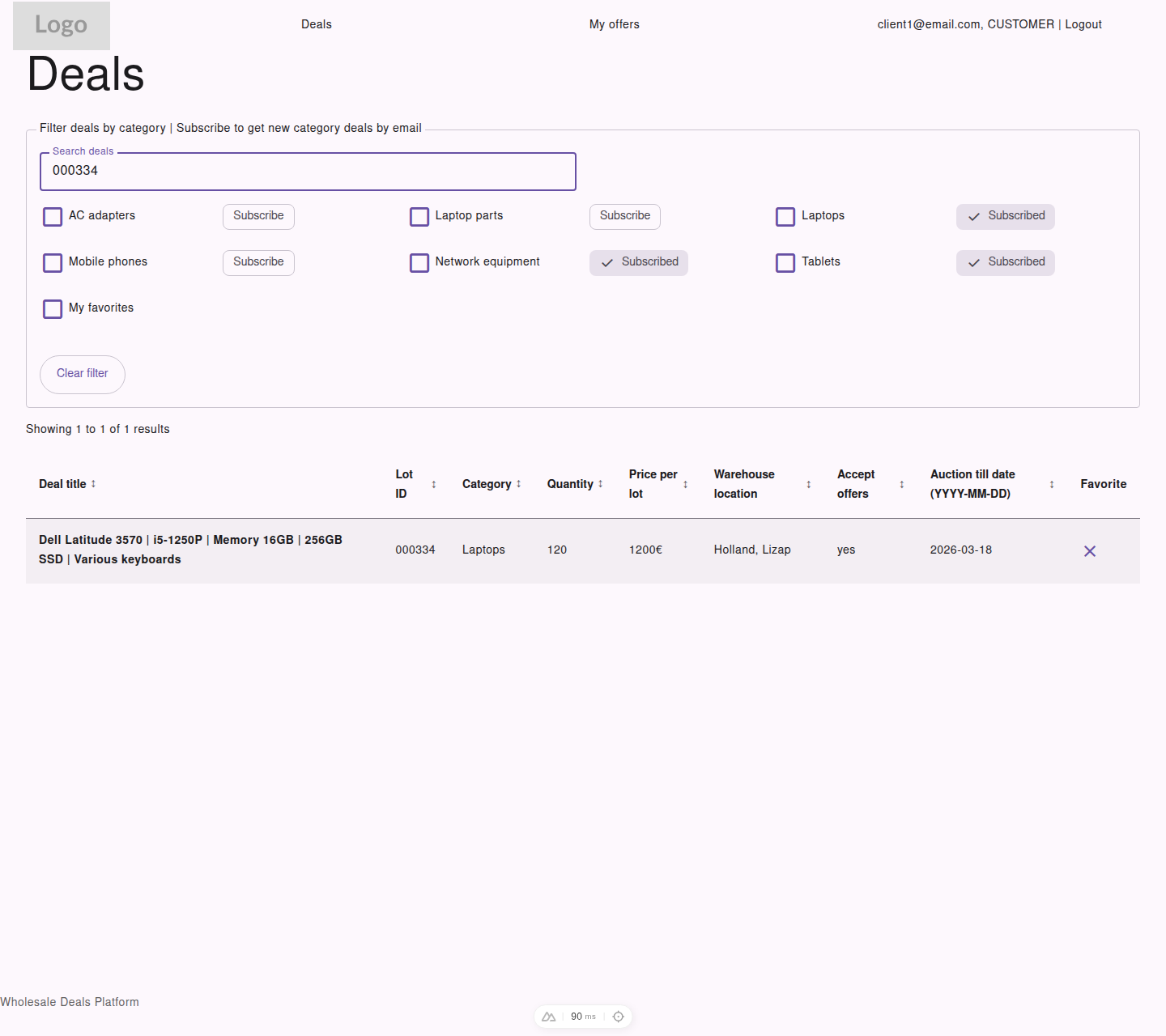
Customer view of the deals list showing category subscriptions and a favorited deal.
Deal Information Shown
Section titled “Deal Information Shown”Customers can browse:
- deal title
- lot ID
- category
- quantity
- price per lot
- warehouse location
- whether offers are accepted
- auction end date
- favorite selection
How to Narrow Results
Section titled “How to Narrow Results”Use the controls at the top of the page to:
- search by keyword
- filter by one or more categories
- show only
My favorites - sort by the table headers
- move through pages of results
Opening a Deal
Section titled “Opening a Deal”Select the deal title to open the detail page and review:
- the full deal data
- your current offer on that deal, if one already exists
- the action available for that deal
- the attached file preview or download link